
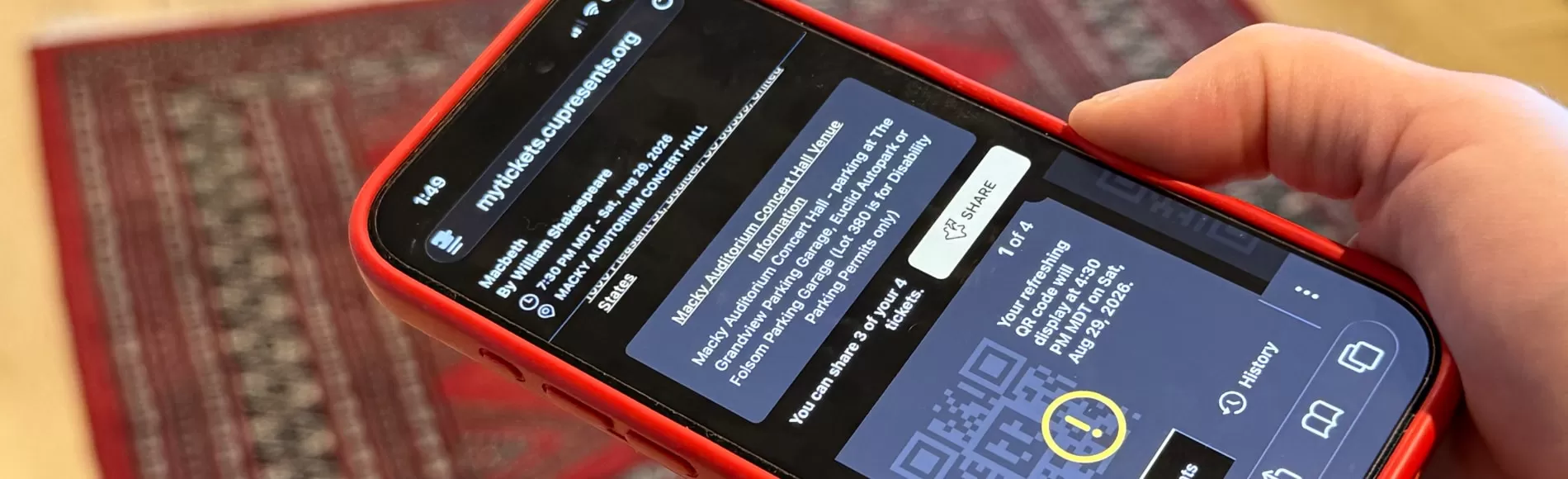
Digital Tickets
Digital tickets are the easiest way to access your CU Presents tickets and enter the venue. The process only takes a minute, and our Box Office team is happy to help if you have questions.
Access Your Tickets
- Go to mytickets.cupresents.org or select View Tickets from your ticket confirmation.
- Sign in with your email and either a six-digit access code or your existing tickets.cupresents.org password.
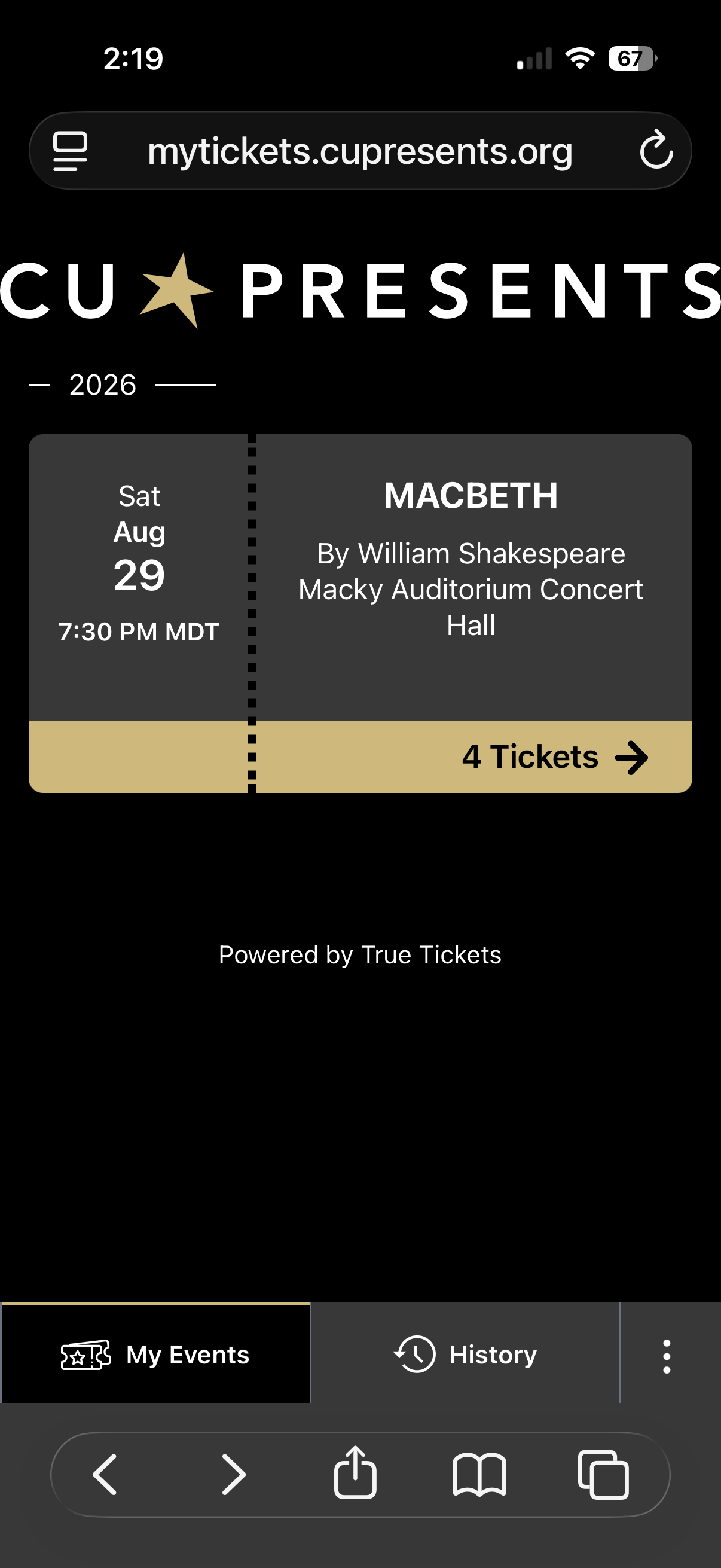
- Select your event under My Events.
- Open your ticket on your phone or save it to Apple Wallet or Google Wallet if you'd like.
Share Tickets (Optional)
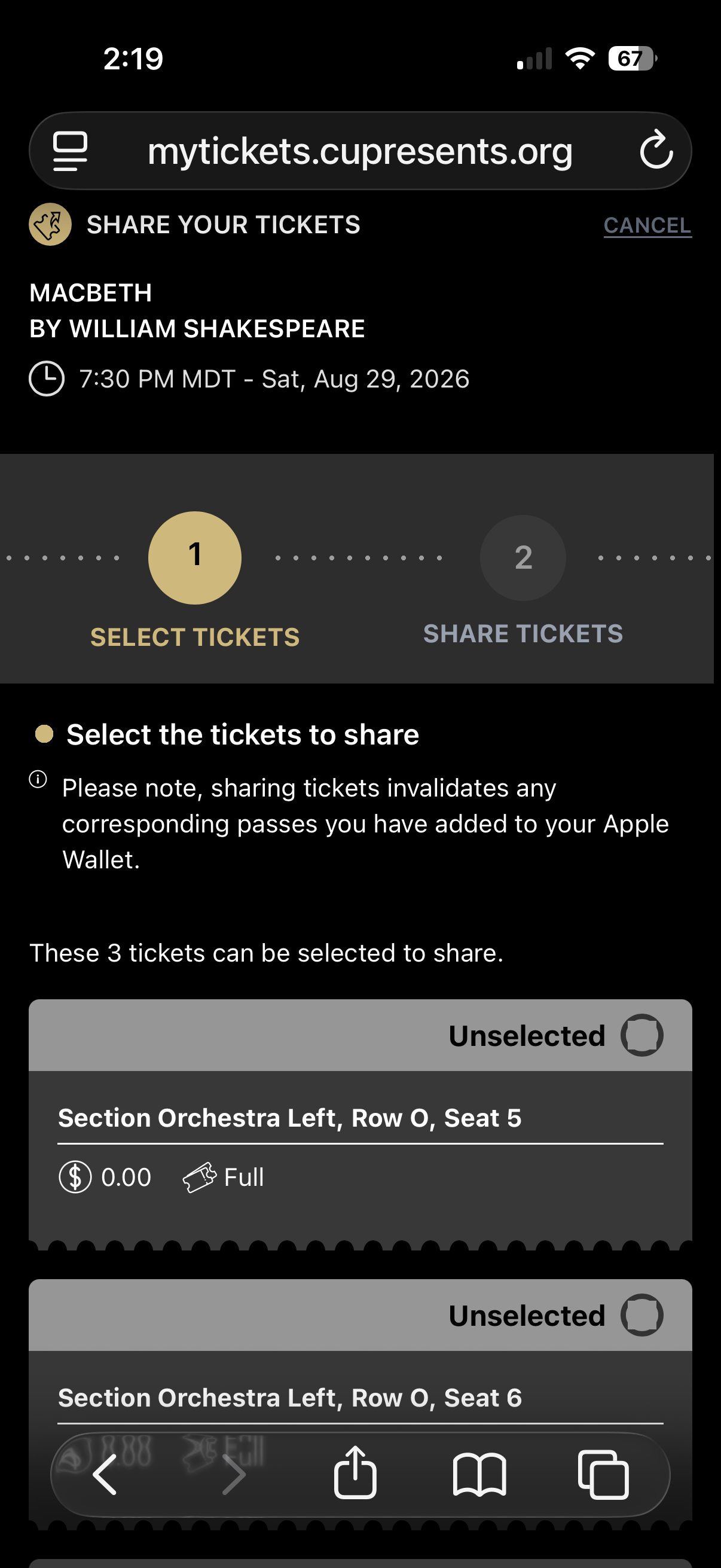
If members of your party are arriving separately, you can securely share individual tickets before your performance.
If you're arriving together, one person can present all of the tickets on a single device.
At the Venue
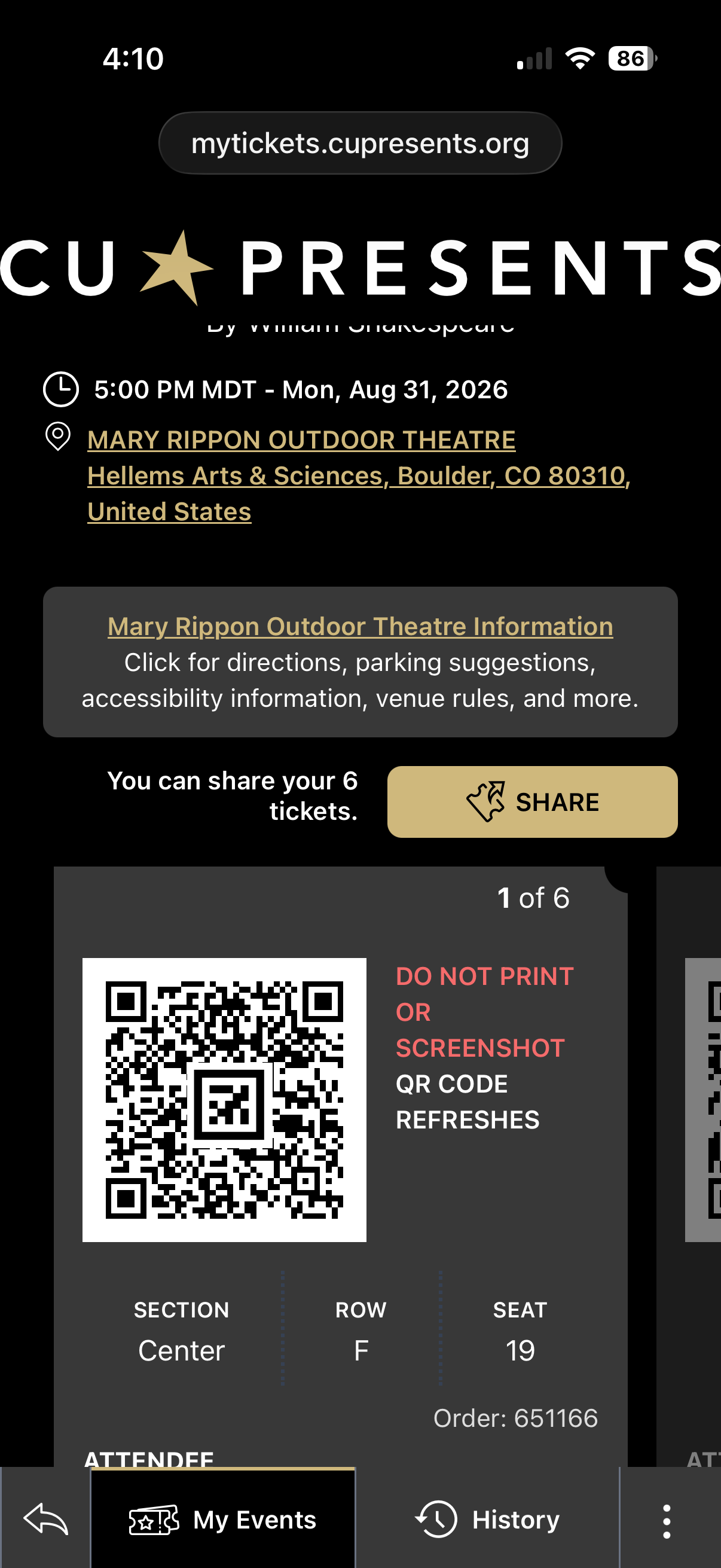
- Open your tickets on your mobile device.
- Turn up your screen brightness.
- Present the live ticket for scanning at the door.
Please do not print or screenshot your ticket, it will not work.
Frequently Asked Questions
No problem! Select either Hold at Will Call or Mail (when available) as your delivery method when purchasing tickets. We’re also happy to print you a paper ticket at the box office when you arrive at the performance if you wish.
Yes, you can share tickets with other people in your group from within the digital ticketing area. Or, if you’re arriving together, one person can also present all of the tickets for scanning.
No. Please present the live digital ticket at the door for scanning. Screenshots or printed copies will no longer work.
No separate account setup is needed. Your tickets are associated with the email address used when they were purchased or shared with you. Just visit mytickets.cupresents.org and enter that email address. You can sign in with a six-digit access code sent to your email, so there’s no password to remember.
No, digital tickets don't require downloading an app!
No worries! You also have the option to log in by requesting a six digit access code sent to your email address.
Make sure you’re signing in with the same email address you used to purchase your tickets. If your tickets still don’t appear, contact the Box Office at 303-492-8008.
Your actual scannable QR code will automatically appear on your tickets three hours prior to the event start time.
Yes! When you share a ticket, it will prompt your guest to provide the information needed to receive their ticket.
No problem! Our box office team will always be onsite to assist you with any ticketing issues. You can also access CU Boulder guest wifi if needed.
Questions? Call 303-492-8008 for more information.